Todo Flow
A calmer way to organize tasks, protect focus, and make progress every day. ✨
Flow
> A calmer way to organize tasks, protect focus, and make progress every day. ✨
<p align="center"> <a href="https://www.linkedin.com/in/hazari-saquib/">LinkedIn</a> · <a href="https://x.com/saquib7298">Twitter / X</a> </p>
<p align="center"> <img src="https://img.shields.io/badge/React-19-61DAFB?logo=react&logoColor=white" alt="React 19" /> <img src="https://img.shields.io/badge/TypeScript-Strict-3178C6?logo=typescript&logoColor=white" alt="TypeScript" /> <img src="https://img.shields.io/badge/TanStack_Start-SSR-FF4154" alt="TanStack Start" /> <img src="https://img.shields.io/badge/Storage-LocalStorage-4F46E5" alt="Browser Local Storage" /> <img src="https://img.shields.io/badge/Clerk-Authentication-6C47FF" alt="Clerk authentication" /> </p>
About the project
Flow is a frontend-first productivity application designed around a simple idea: fewer distractions, clearer priorities, and a more intentional daily workflow.
It combines a focused todo experience with responsive navigation, theme switching, filtering, analytics, calendar planning, and browser-local persistence.
Preview
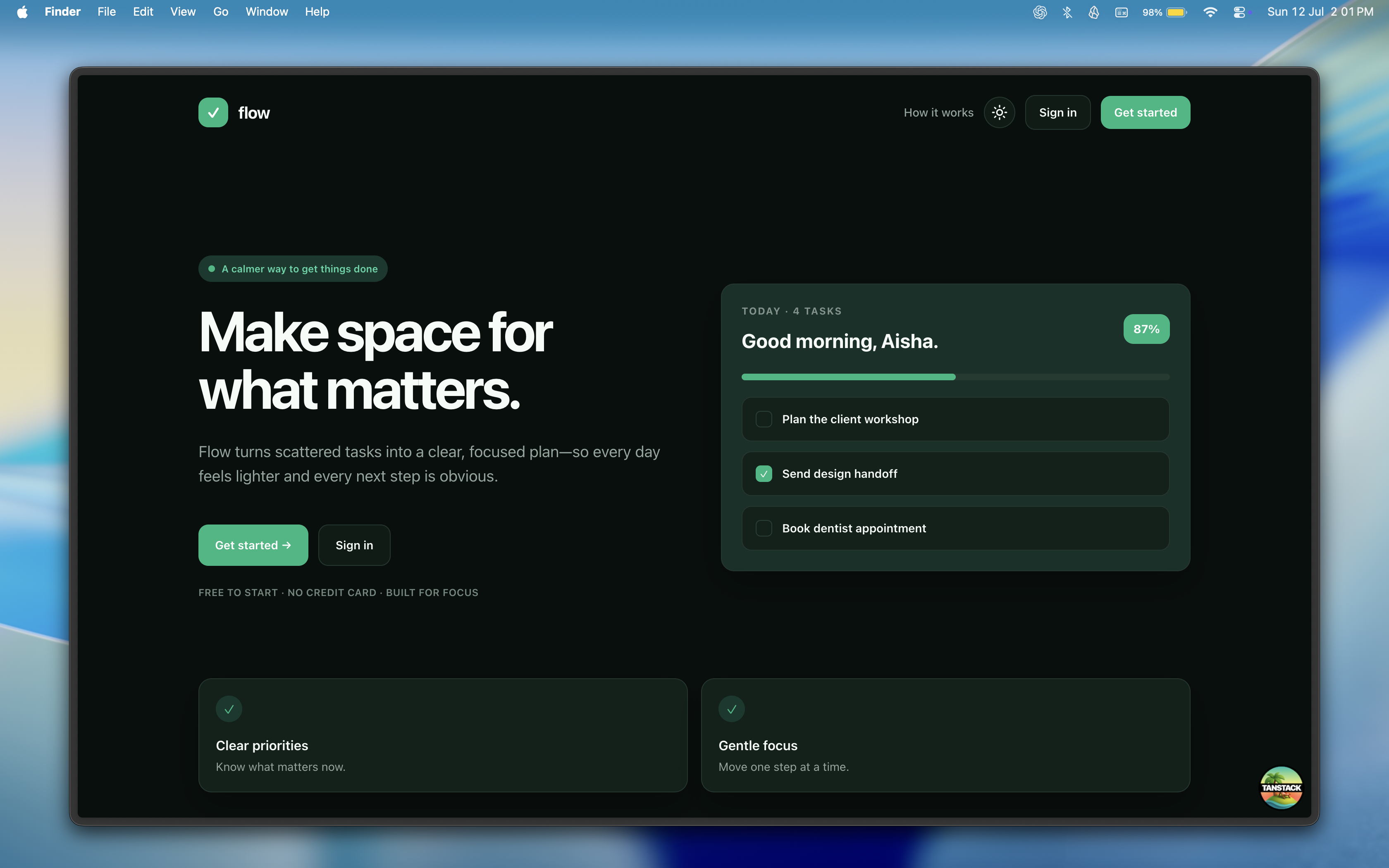
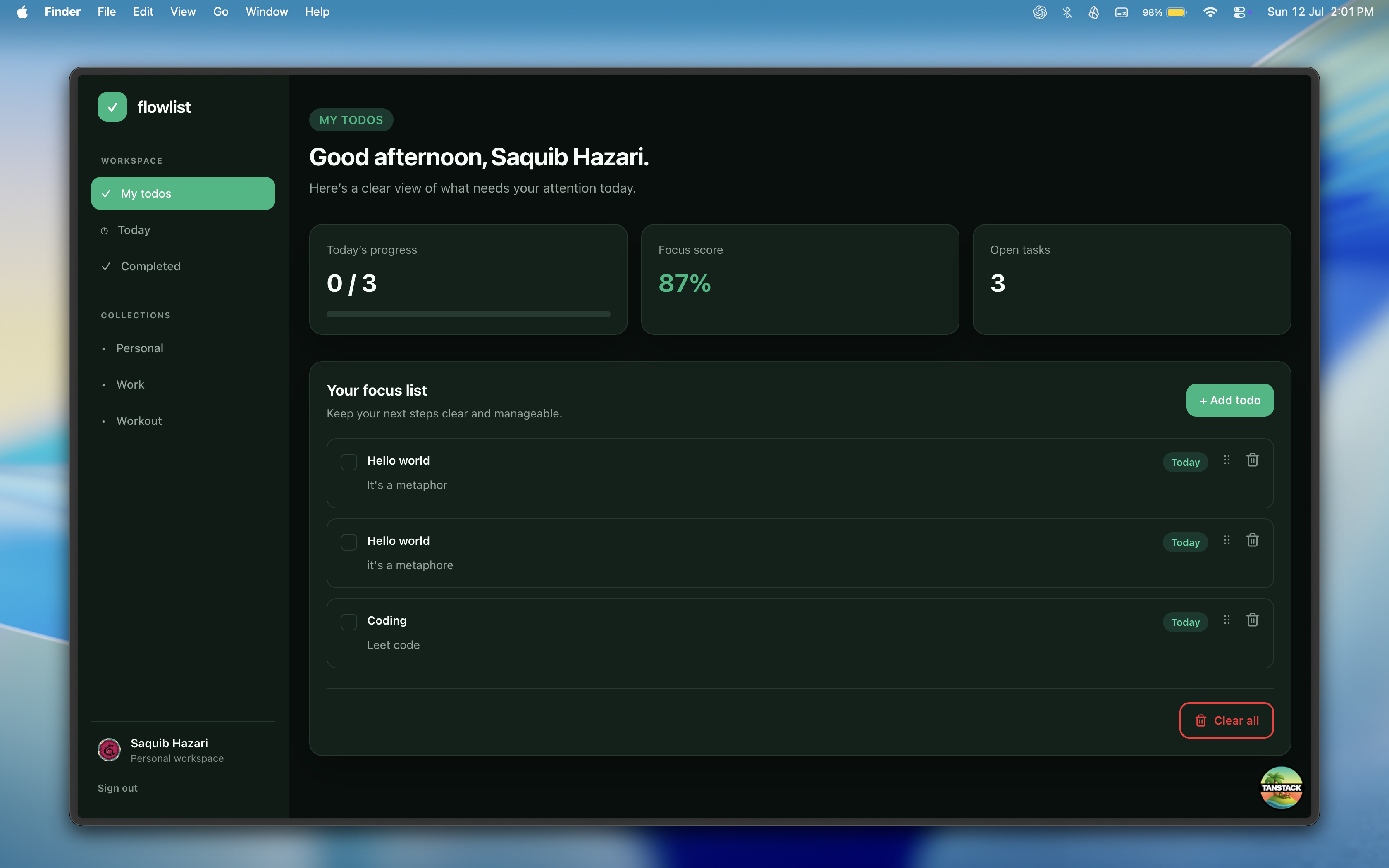
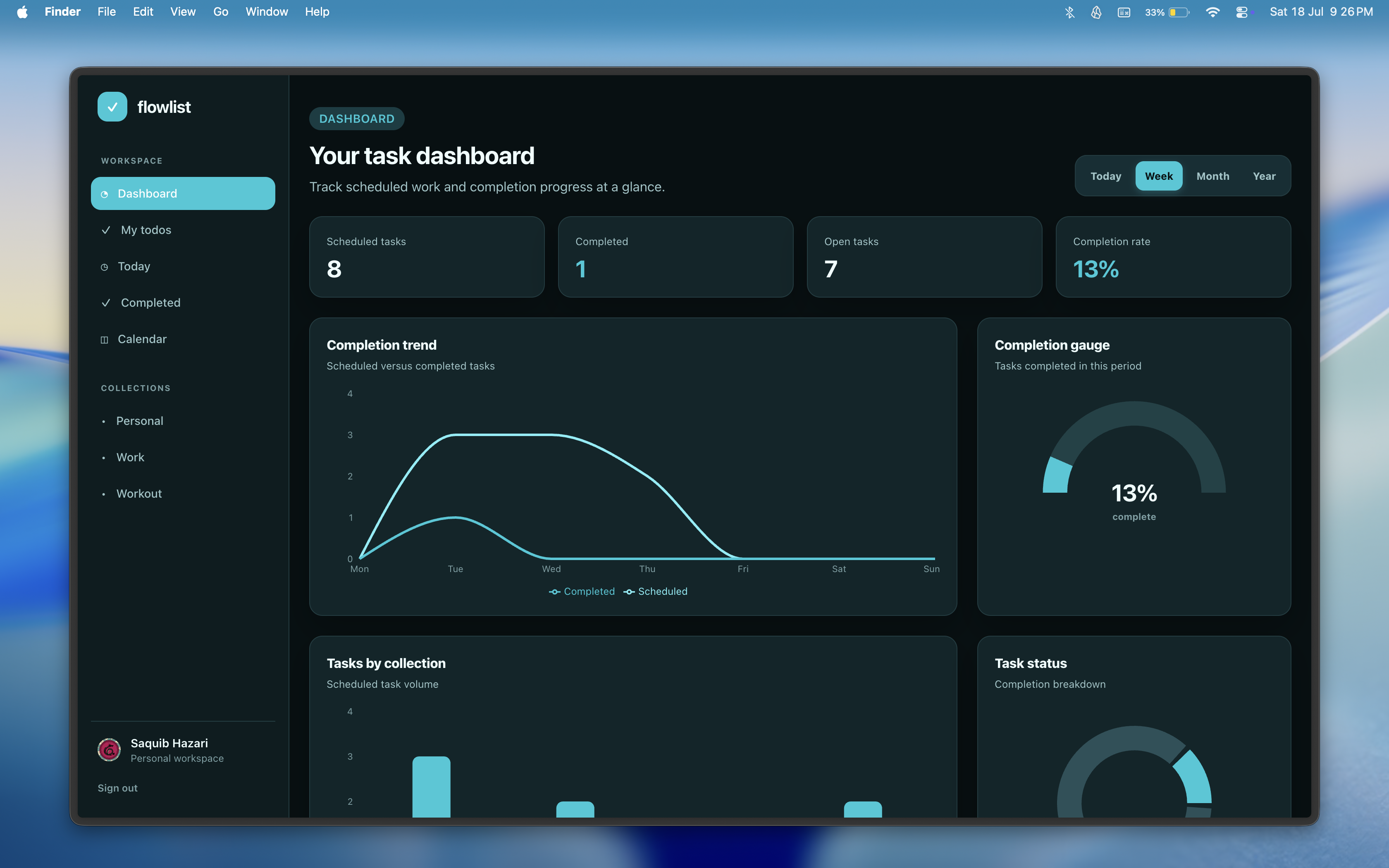
<p align="center"> <img src="./public/homepage.png" alt="Flow landing page" width="48%" /> <img src="./public/todo.png" alt="Flow dashboard" width="48%" /> </p>
Highlights
- 🔐 Secure authentication with Clerk.
- 💾 Todos stored locally in the browser with localStorage.
- ✅ Create, complete, reorder, delete, and clear todos.
- 🏷️ Filter tasks by Today, Completed, Personal, Work, and Workout.
- 🖱️ Smooth drag-and-drop sorting powered by `dnd-kit`.
- 🌗 Light and dark themes with persisted preferences.
- 📱 Responsive sidebar with a mobile hamburger menu.
- ♿ Accessible controls with semantic HTML, labels, ARIA states, and keyboard-friendly interactions.
- 🚀 Vercel-ready TanStack Start deployment with Nitro.
- 🧪 Automated unit and integration tests for todo flows and date-filter edge cases.
Screens and experience
The application is built around three focused experiences:
1. **Landing page** — explains the product and provides contextual authentication actions. 2. **Authentication** — Clerk-powered sign-in and sign-up flows. 3. **Dashboard** — personalized greeting, progress overview, task filters, persistence, drag-and-drop sorting, and destructive-action safeguards.
Tech stack
| Layer | Technology | | -------------- | ----------------------------------------------------------------- | | UI | React 19, Tailwind CSS | | Language | TypeScript with strict checking | | Framework | TanStack Start and TanStack Router | | Authentication | Clerk | | Storage | Browser localStorage | | Interactions | Radix UI, `dnd-kit`, Lucide icons | | Tooling | Vite, Vitest, Biome | | Deployment | Vercel with Nitro |
Architecture
```text React UI ├─ TanStack Router routes ├─ Accessible reusable components ├─ Todo dialog and sortable task list ├─ Clerk client state └─ localStorage todo persistence ```
Todos stay on the device and browser where they were created. Clearing browser storage or switching browsers will not carry tasks across devices.
Getting started
Prerequisites
- Node.js 20+
- A Clerk application
Install
```bash git clone YOUR_REPOSITORY_URL cd todo-flow npm install ```
Environment variables
Create `.env.local`:
```env VITE_CLERK_PUBLISHABLE_KEY=pk_test_... CLERK_PUBLISHABLE_KEY=pk_test_... CLERK_SECRET_KEY=sk_test_... VITE_APP_URL=https://your-project.vercel.app ```
Never commit `.env.local`.
Run locally
```bash npm run dev ```
Open `http://localhost:3000`.
Quality checks
```bash # Type-check npx tsc --noEmit
Run tests npm run test
Lint npm run lint
Production build npm run build ```
Deployment
Flow deploys to Vercel with the Nitro Vite plugin. Todo data remains in each visitor's local browser storage, so no database or Firebase environment variables are needed.
Before deploying:
- Add `VITE_CLERK_PUBLISHABLE_KEY`, `CLERK_PUBLISHABLE_KEY` (the same `pk_...` value), and `CLERK_SECRET_KEY` to Vercel.
- Use production Clerk keys and configure the production Clerk domain.
- Set `VITE_APP_URL` to your production Vercel URL. This is required for correct canonical, Open Graph, Twitter, and share-image links.
- Import the Git repository into Vercel; it will detect TanStack Start/Nitro automatically.
Roadmap
- [ ] Edit existing todos.
- [ ] Persist drag-and-drop ordering.
- [ ] Add pagination for larger todo collections.
- [ ] Add optimistic updates and retry states.
- [ ] Add analytics and usage insights.
- [ ] Add end-to-end browser tests.
Author
Built with care by **Saquib Hazari**.
<p> <a href="https://www.linkedin.com/in/hazari-saquib/">LinkedIn</a> · <a href="https://x.com/saquib7298">Twitter / X</a> · <a href="https://react-frontend-zlql.vercel.app/">Portfolio</a> </p>
License
This project is currently a personal portfolio project. Add a license here if you plan to distribute or open-source it.
Client Feedback
What people say about working with me
Discussions (1)
Sign in to add a comment or like a discussion.

saquib Hazari 9d ago
I always wanted a person todo list which can show the stats for me and i can set for next day todos for myself. The problem was for the storing data i used firebase storage to see if it's working well but free tier ended during last project. But it worked well in firebase. The end result is really well. The Tanstack start is really good framework.